
The chat list
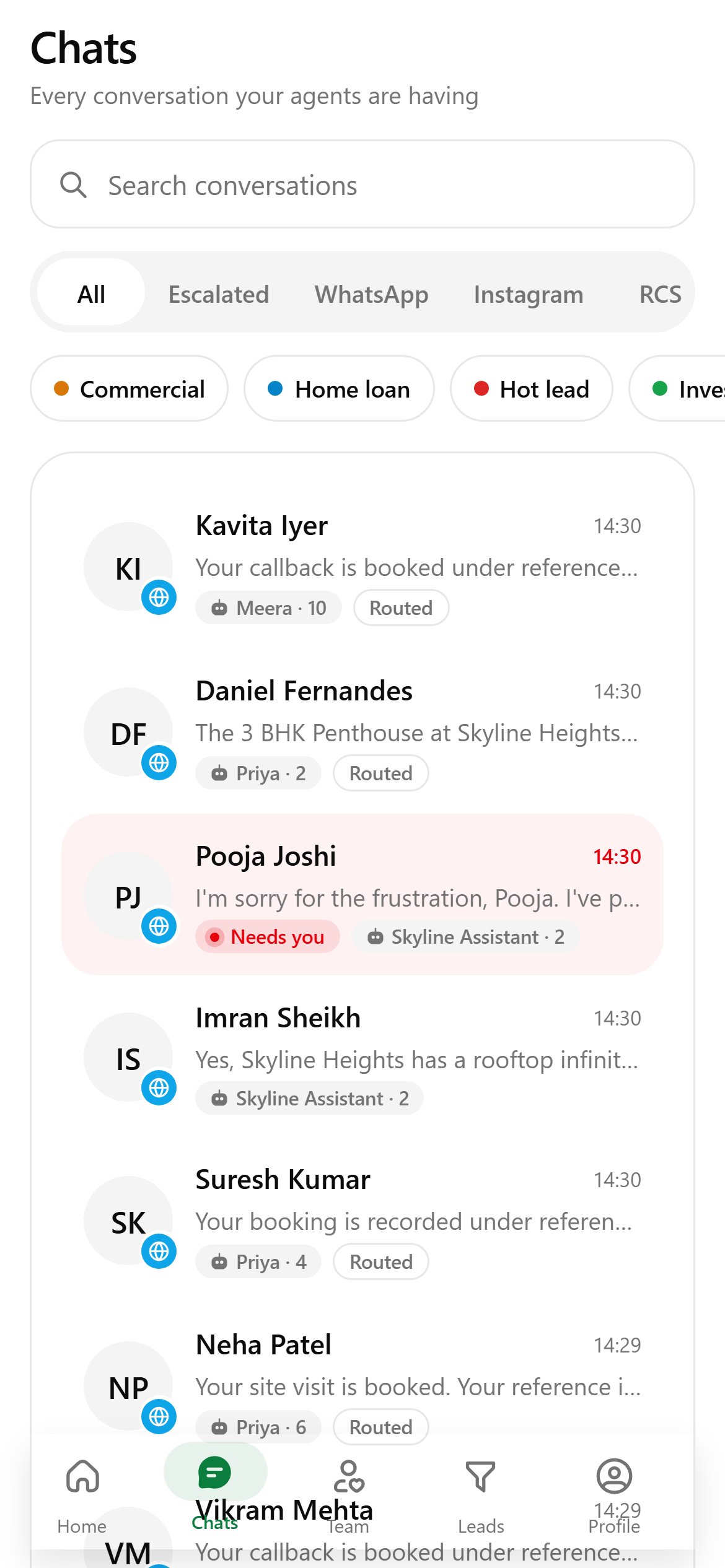
Chats lists every conversation your agents are having.
- Search conversations by name or message.
- Filter: All, Escalated, WhatsApp, Instagram, RCS or Telegram.
- Tap a tag chip (for example Hot lead) to show only those leads. Tap it again to clear.
Read and reply
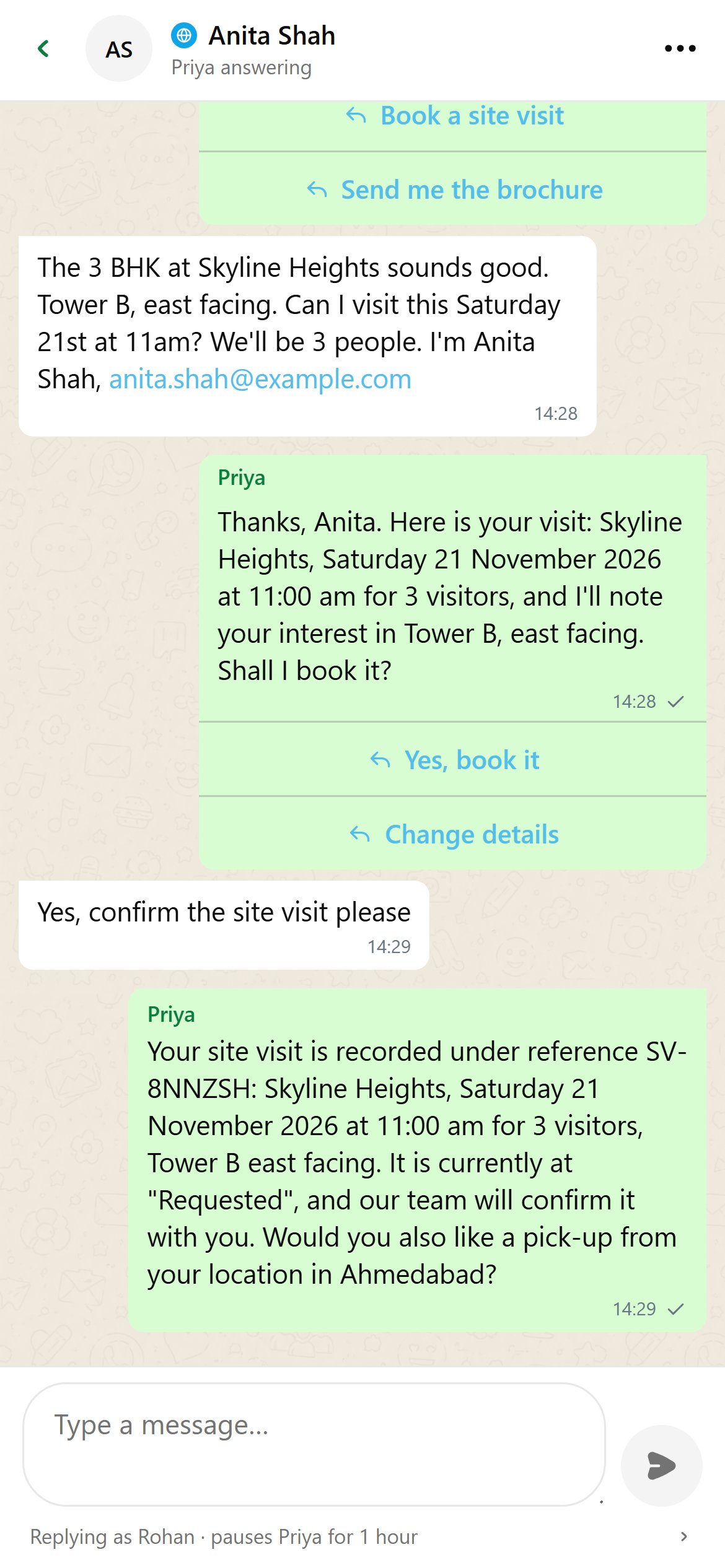
The customer is on the left and your business on the right. Each run of messages is labelled with who wrote it: an agent, or a team member. Buttons, photos, voice notes, documents and locations show as the customer saw them.
- Swipe a message right to quote it in your reply.
- Long-press a message to select it. On an agent’s reply, choose Mark as wrong or Fix answer. On a customer’s WhatsApp message, react with an emoji.
- The ⋮ menu has View profile, Search, Chat status, Resume the agent, Mark as bot and Reply settings.
Taking over
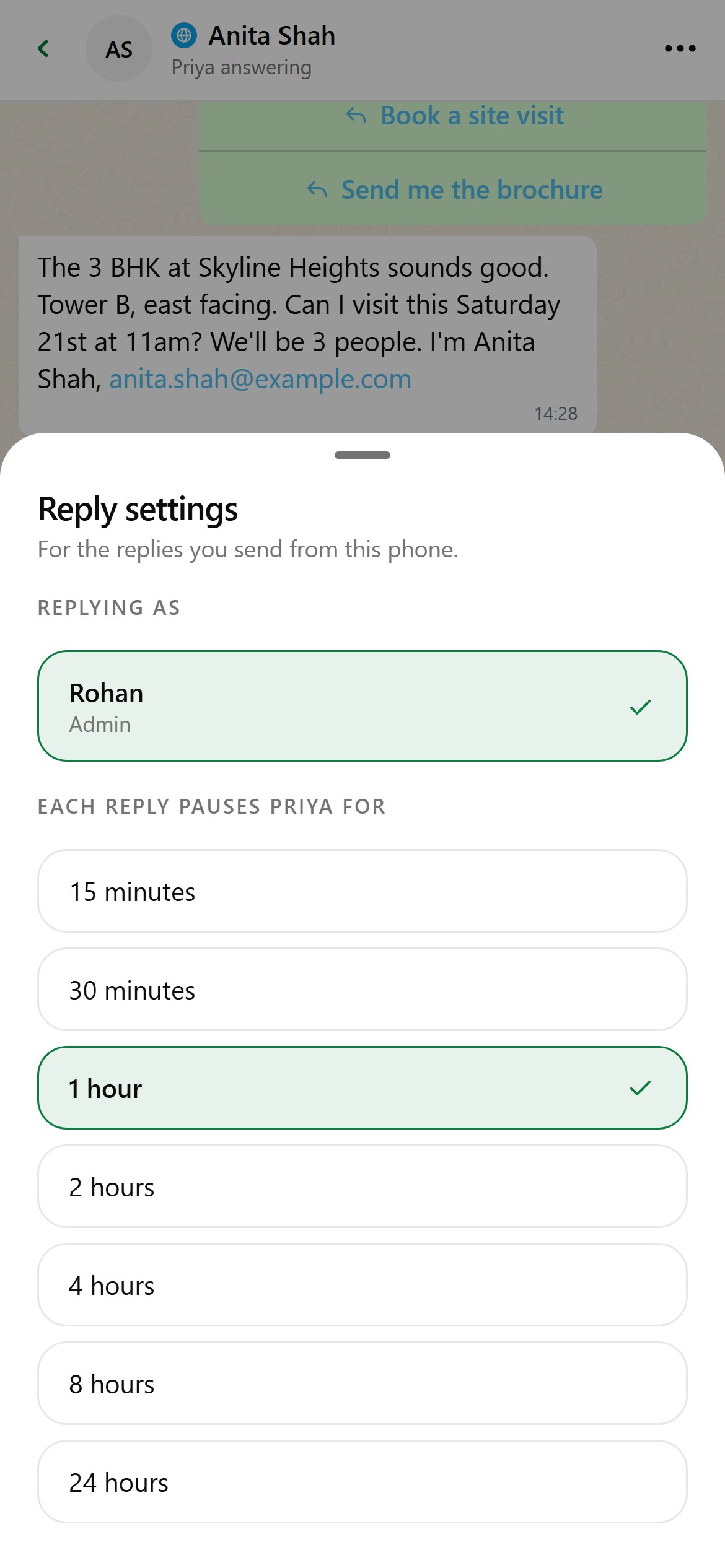
Sending a reply takes over the chat. The agent goes quiet for the pause time, then takes the chat back on its own. The strip above the box shows You have this chat with the time left. Tap Resume to hand it back sooner.Tap the line under the box (for example Replying as Rohan · pauses Priya for 1 hour) to open Reply settings:
- Replying as: whose name signs the reply (owner logins only).
- Each reply pauses the agent for: 15 minutes up to 24 hours. Remembered on this phone.
WhatsApp extras
- The + button sends a Template (reaches people any time, even after 24 hours), a Photo, Video, Location, Contact, Buttons, a Link button or Ask location.
- The bar above the box shows the reply window. When it is closed, free-form text is locked; send a template with + instead.
- ✦ drafts a reply on your phone using an on-device model. You always review it before sending.
Escalated chats
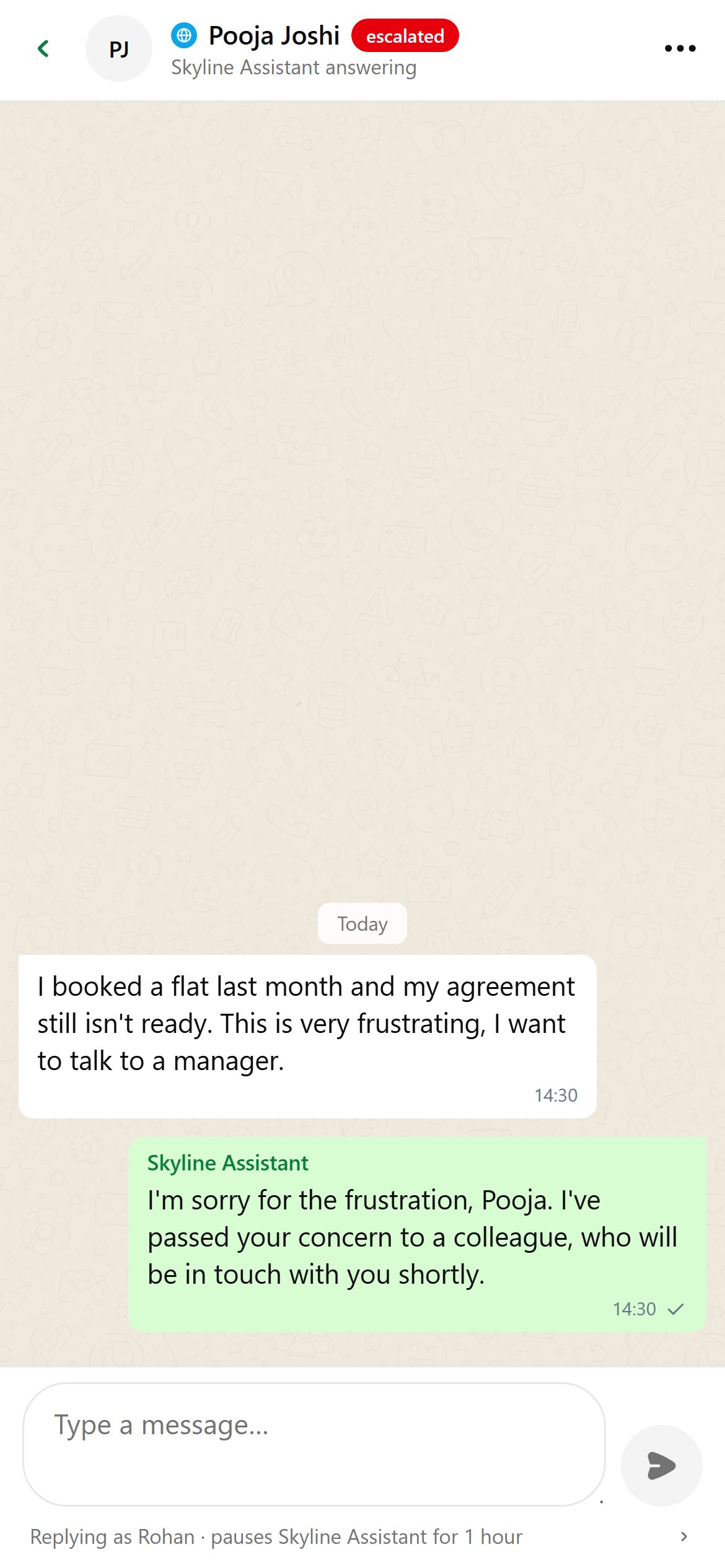
Escalated chats show a red escalated badge and appear under Waiting on you on Home and the Escalated filter.Reply to the customer, then open ⋮ → Chat status and choose:
- Open: in progress as usual;
- Escalated: waiting on a person;
- Resolved: nothing left to do.
Contact info
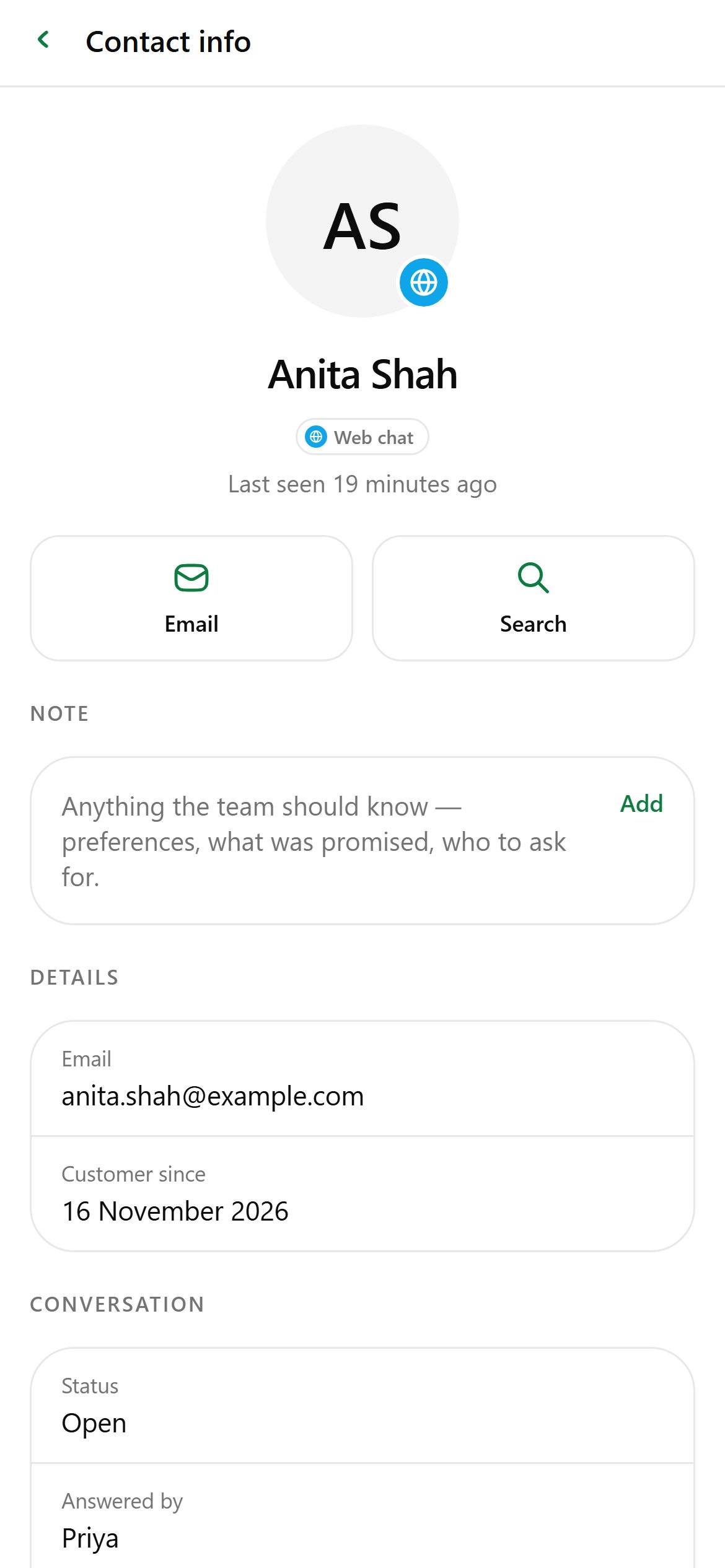
Tap the contact’s name at the top of a chat.
- Call, WhatsApp, Email or Search the chat.
- Note: anything the team should know. Shared with everyone, in the app and the console.
- Details: phone, email, company, birthday, customer since.
- Collected by the agents: whatever the agents saved.
- Conversation: status, who’s answering, lead stage and why it was filed there.