
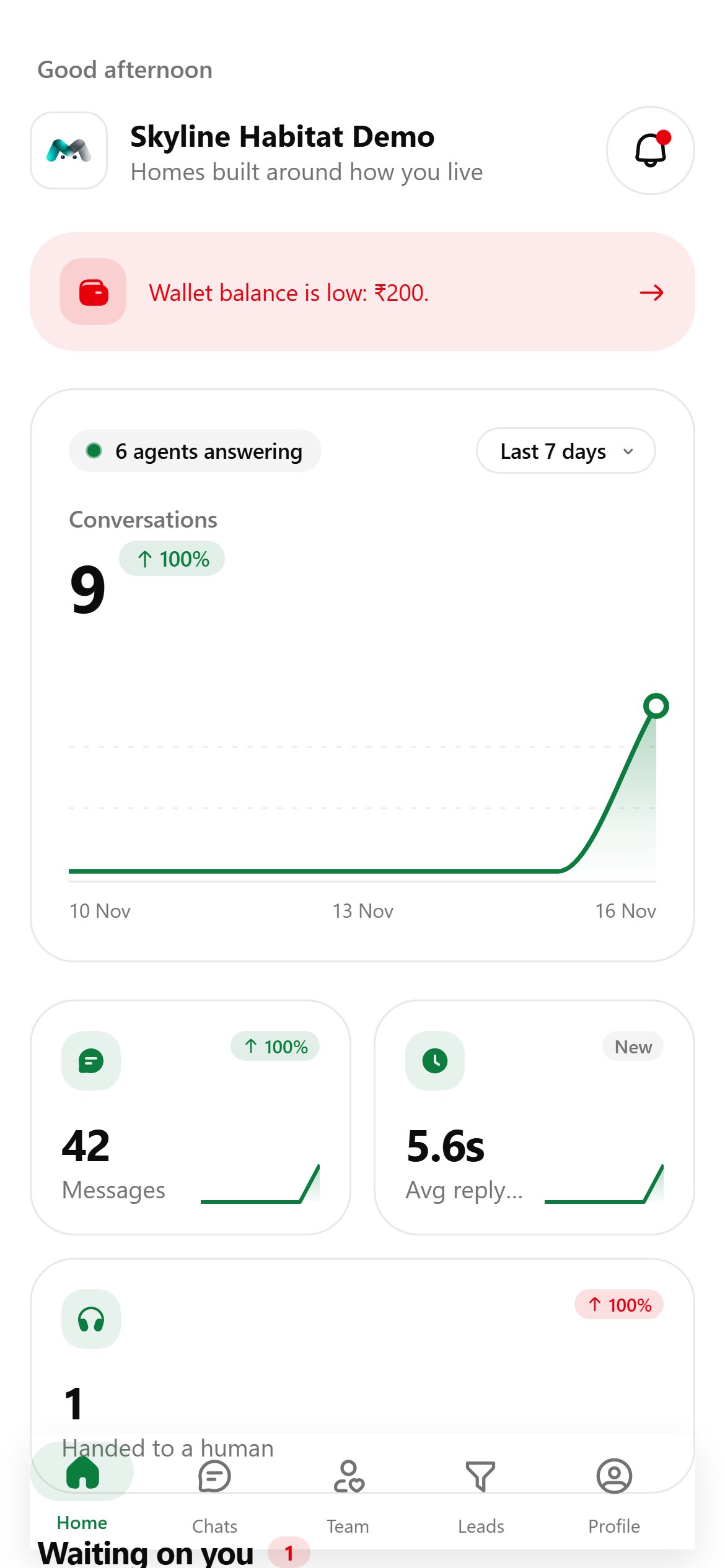
From top to bottom, Home shows:
- A greeting and your company. Tap the company name to switch workspace, if you can reach more than one.
- The bell (top right) opens Notifications. A pulsing red dot means something new arrived.
- A billing banner, only when it matters: a trial ending, a payment due, or a low wallet. Tap it to open Billing.
- Conversations: how many agents are answering, the total for the period with the change from the period before, and a chart. Drag your finger across the chart to read a single day. Tap Last 7 days to switch to 14 or 30 days.
- Messages, Avg reply time and Handed to a human, each with its trend.
- Waiting on you: escalated chats tagged Needs you. Tap one to open it. When nothing is escalated, it says All clear.
Notifications
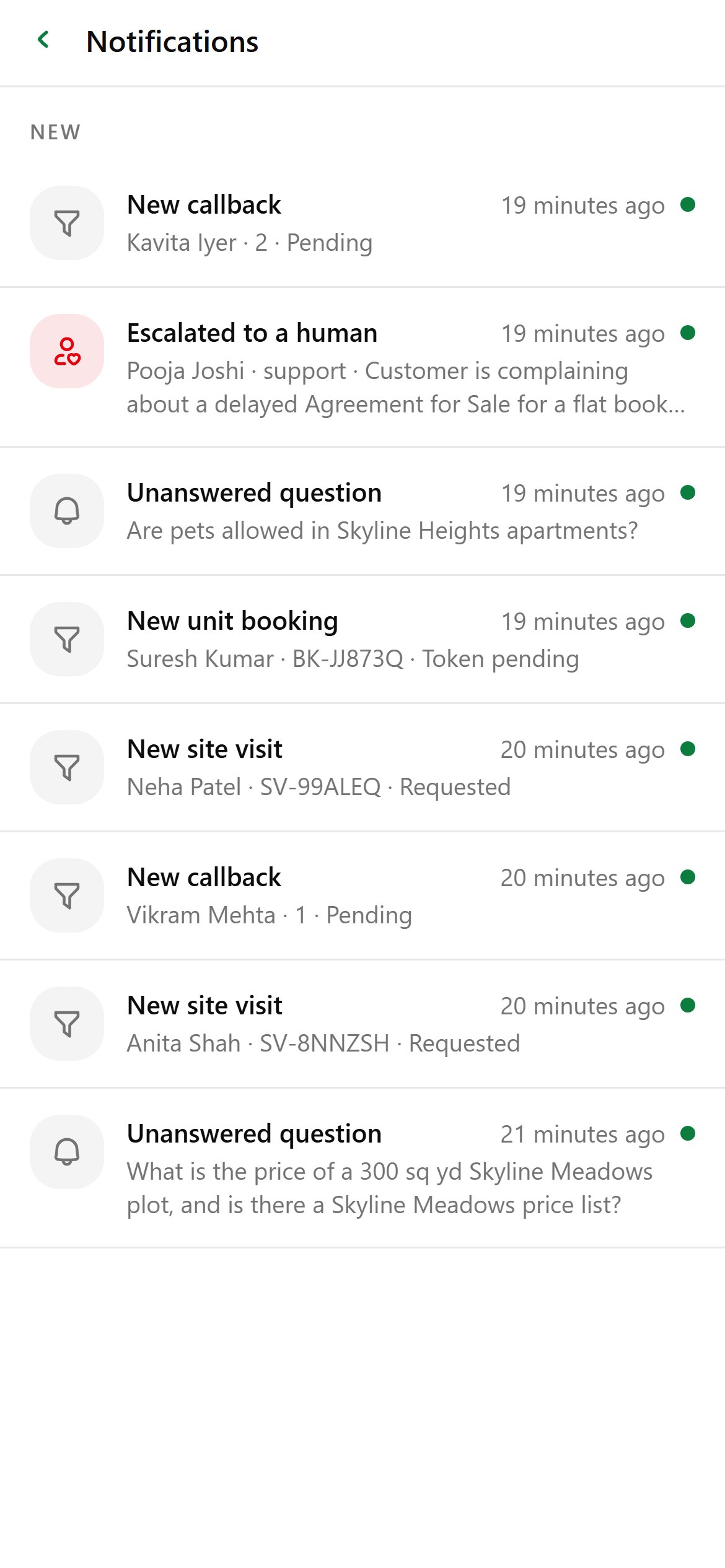
The bell opens everything sent to your workspace in the last 30 days, newest first, split into New and Earlier:
- new orders and filed records, such as a site visit or a unit booking;
- escalations, tinted red;
- unanswered questions (knowledge gaps);
- announcements from Magic Agent.