
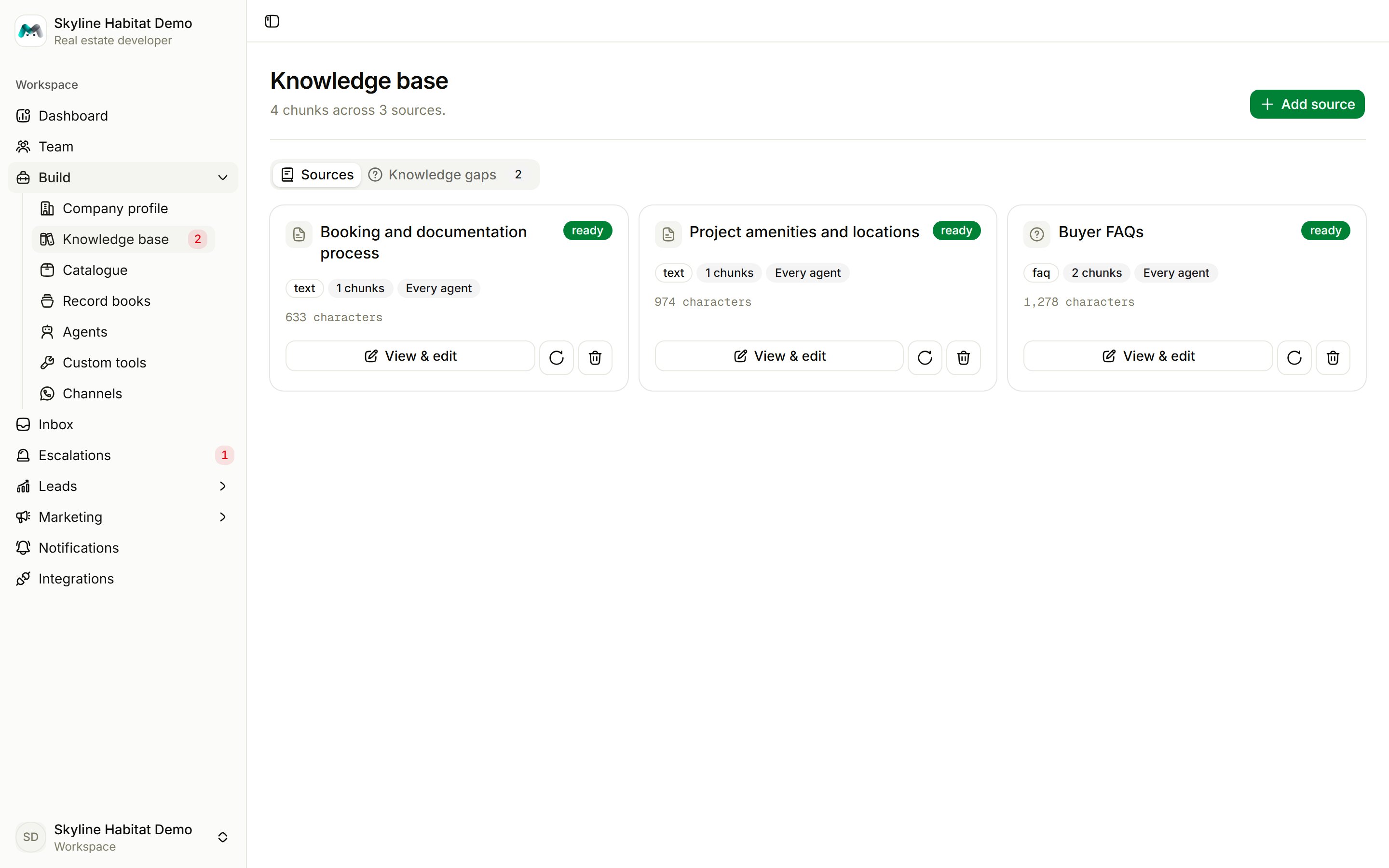
- Sources: everything you have added.
- Wrong answers: replies your team marked as wrong.
- Knowledge gaps: questions agents could not answer.
Add a source
1
Choose Add source
Give the source a Title. The agent sees it beside every passage, so make it descriptive, for example “Booking and documentation process”.
2
Choose who can use it
Available to: every agent in the workspace, or only one agent.
3
Add the content
Pick a tab:
- Paste text: any prose an agent should be able to quote.
- FAQ: question and answer pairs, separated by a blank line. Retrieval works noticeably better with Q and A.
- URL: a page from your website. It is fetched once; choose Reprocess after the page changes.
- File: PDF, plain text, Markdown, CSV, JSON or HTML. Scanned, image-only PDFs have no text to read; paste their content instead.
4
Wait for it to be searchable
The source moves from queued to indexing to searchable, usually within seconds. If it shows failed, open it and choose Reprocess.
Manage sources
Each card shows its status, kind, how many passages it was split into, and which agents can use it.- View & edit: read the passages agents retrieve. Text sources can be edited, which re-indexes them. For URL and file sources, only the title and availability can change.
- Reprocess: index the source again.
- Delete: remove it. Agents stop using it immediately.
Knowledge gaps
When an agent is asked something it cannot answer, it tells the customer the team will follow up and logs the question here. Similar questions are grouped, most-asked first.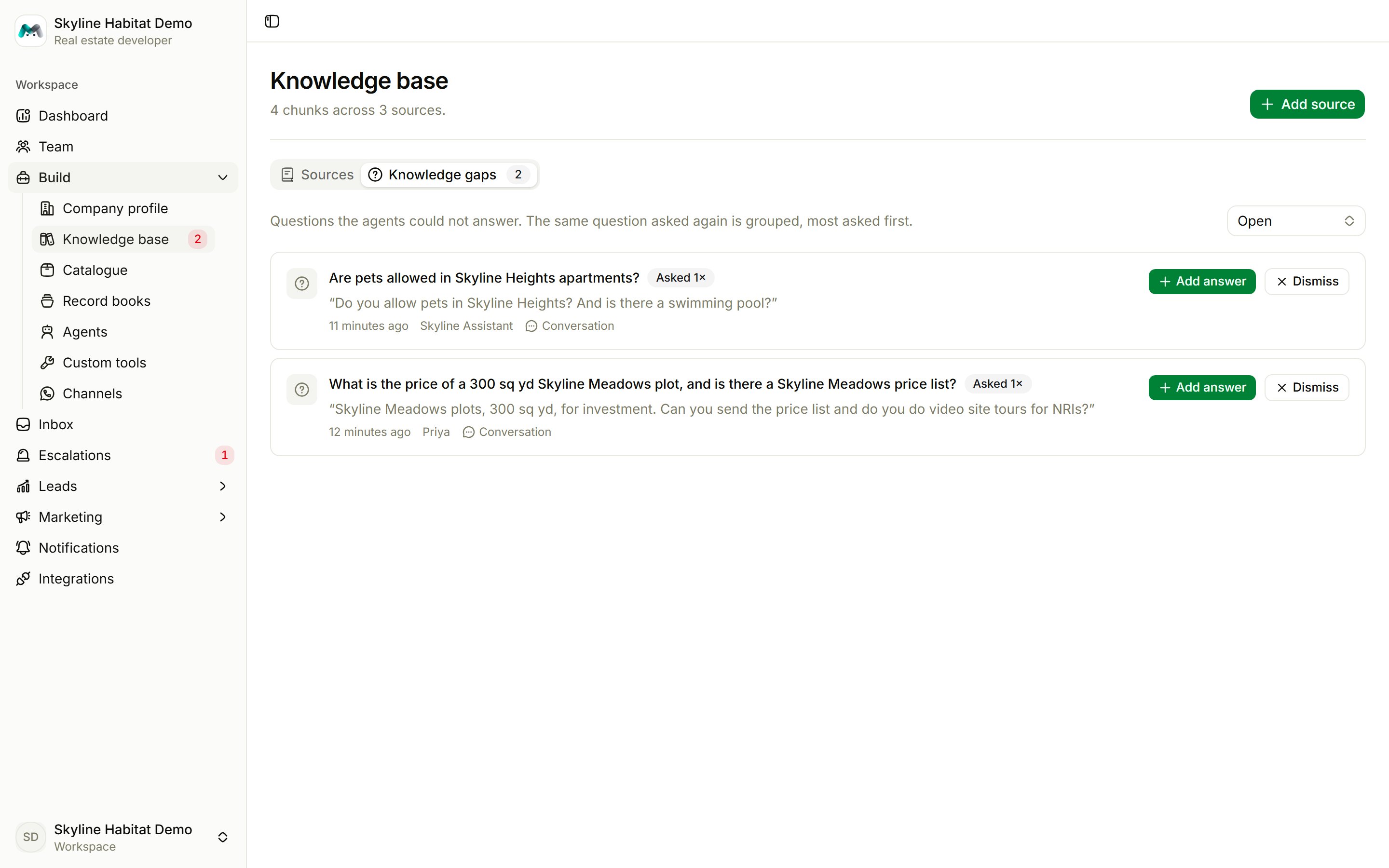
- Add answer: write the answer. It is saved as an FAQ, so every agent answers it from now on.
- Dismiss: ignore it.
Wrong answers
When someone on your team marks an agent’s reply as wrong in the inbox, it appears here with the sources the answer came from.- Choose Fix and write the Correct reply. Agents use your correction ahead of anything that disagrees with it.
- Optionally edit the source the wrong answer came from.
- Choose Send the right answer to the customer. This works within 24 hours of the customer’s last WhatsApp message.