
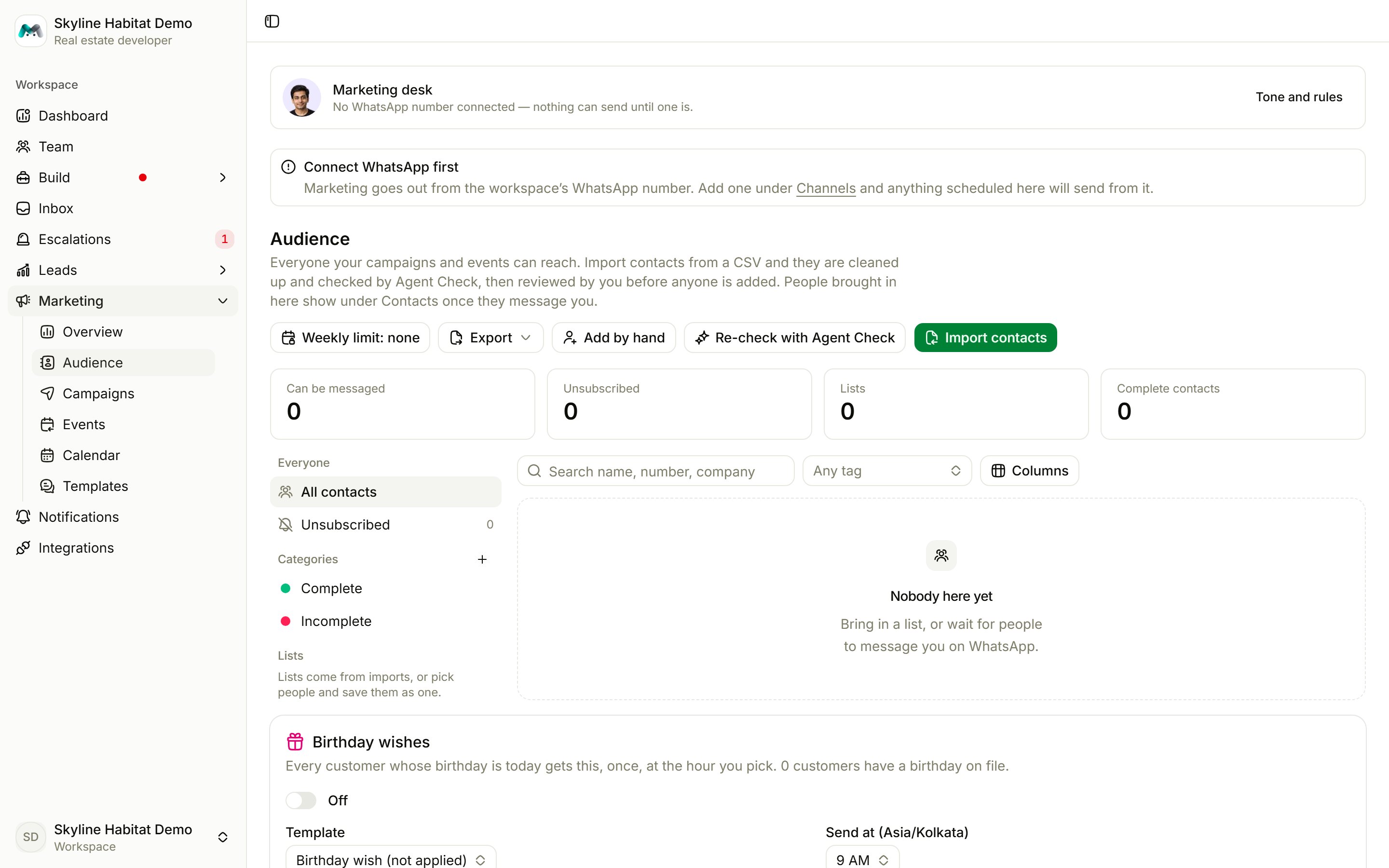
The page at a glance
- Tiles: who Can be messaged, who is Unsubscribed, how many Lists you have, and how many Complete contacts.
- Rail on the left: Everyone (all contacts, unsubscribed), your Categories (up to 10, sorted automatically by Agent Check), and your Lists.
- Table: each contact with category, the fields you choose under Columns, tags and subscription status.
Add people
- Add by hand: one person at a time, with name, category, email, company, birthday, tags, notes and the Gets marketing messages switch.
- Import contacts: bring in a whole list (below).
- Everyone who writes to you on WhatsApp is added automatically.
Import a contact list
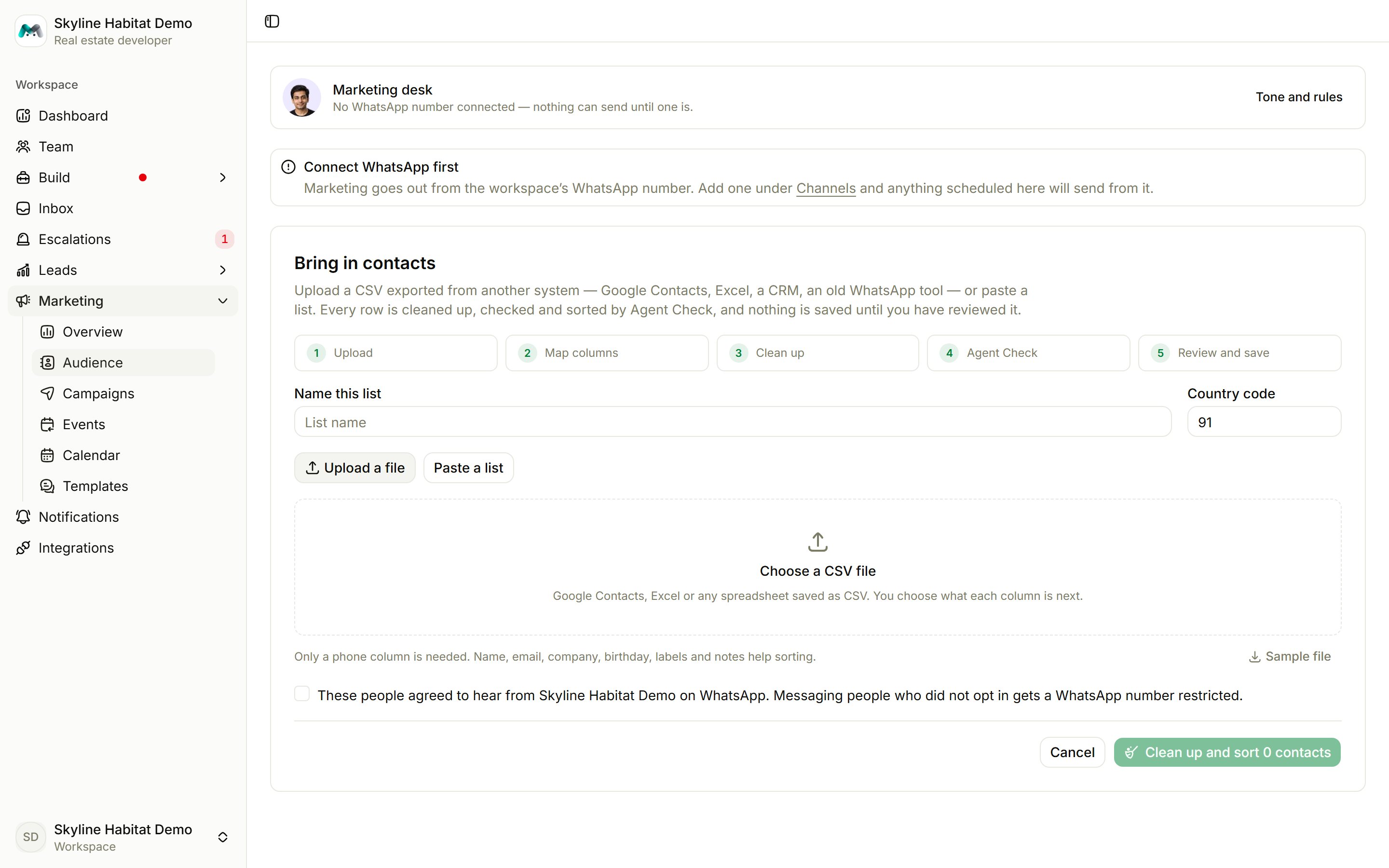
1
Upload
Name the list and set the Country code for numbers written without one. Upload a CSV (Google Contacts, Excel and others work), or Paste a list with one person per line: name, phone number, note. Up to 10,000 people per import.
2
Map columns and clean up
Match your columns to name, phone, email, company and birthday. Basic cleaning can skip rows with no phone number and remove repeated numbers.
3
Confirm consent
Tick that these people agreed to hear from you on WhatsApp. Messaging people who did not agree gets your number reported and restricted.
4
Agent Check
Magic Agent checks every contact in batches and sorts them into Ready, Needs a look, Problems, Repeats and Left out. You can leave the page while it works.
5
Review and save
Fix names or numbers, change categories, keep or put back rows, then save. Nobody is added until you review.
Export
Use the export menu to download all contacts, only those who can be messaged, the unsubscribed, or one category or list.Weekly message limit
Set a maximum number of marketing messages per person per week, or No limit. It applies to campaigns and event reminders. Birthday wishes don’t count.Birthday wishes
Each contact whose birthday is today gets your birthday template once, at the hour you choose.- Make a template with the Birthday occasion and apply it to Meta. See Templates.
- In the Birthday wishes card, pick the Template and the Send at time, and switch it on.