
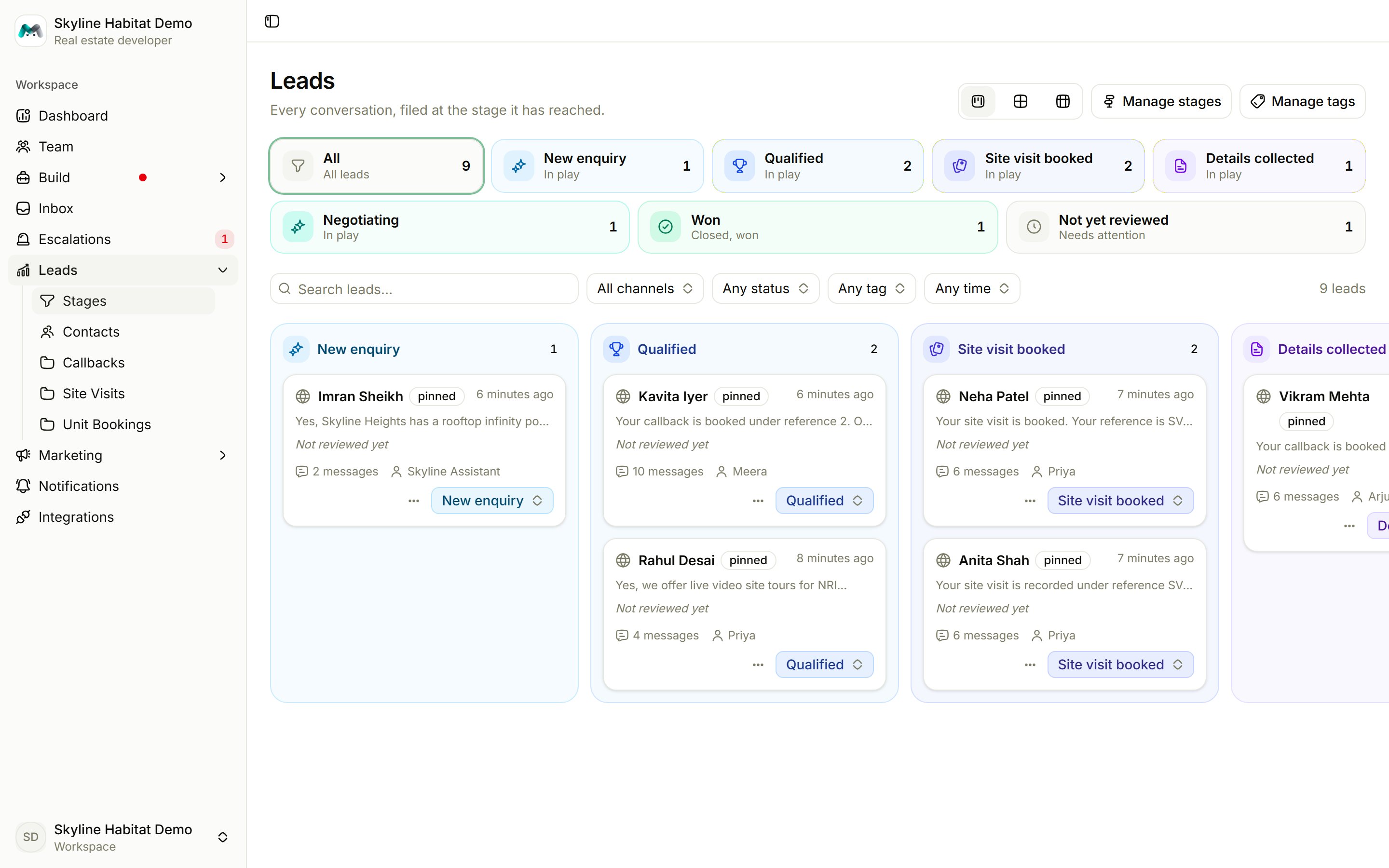
Read the board
- Stage chips across the top show how many leads are at each stage. Not yet reviewed holds conversations the desk hasn’t read yet.
- Switch between Kanban, Cards and List views.
- Filter by search, channel, status, time and tag.
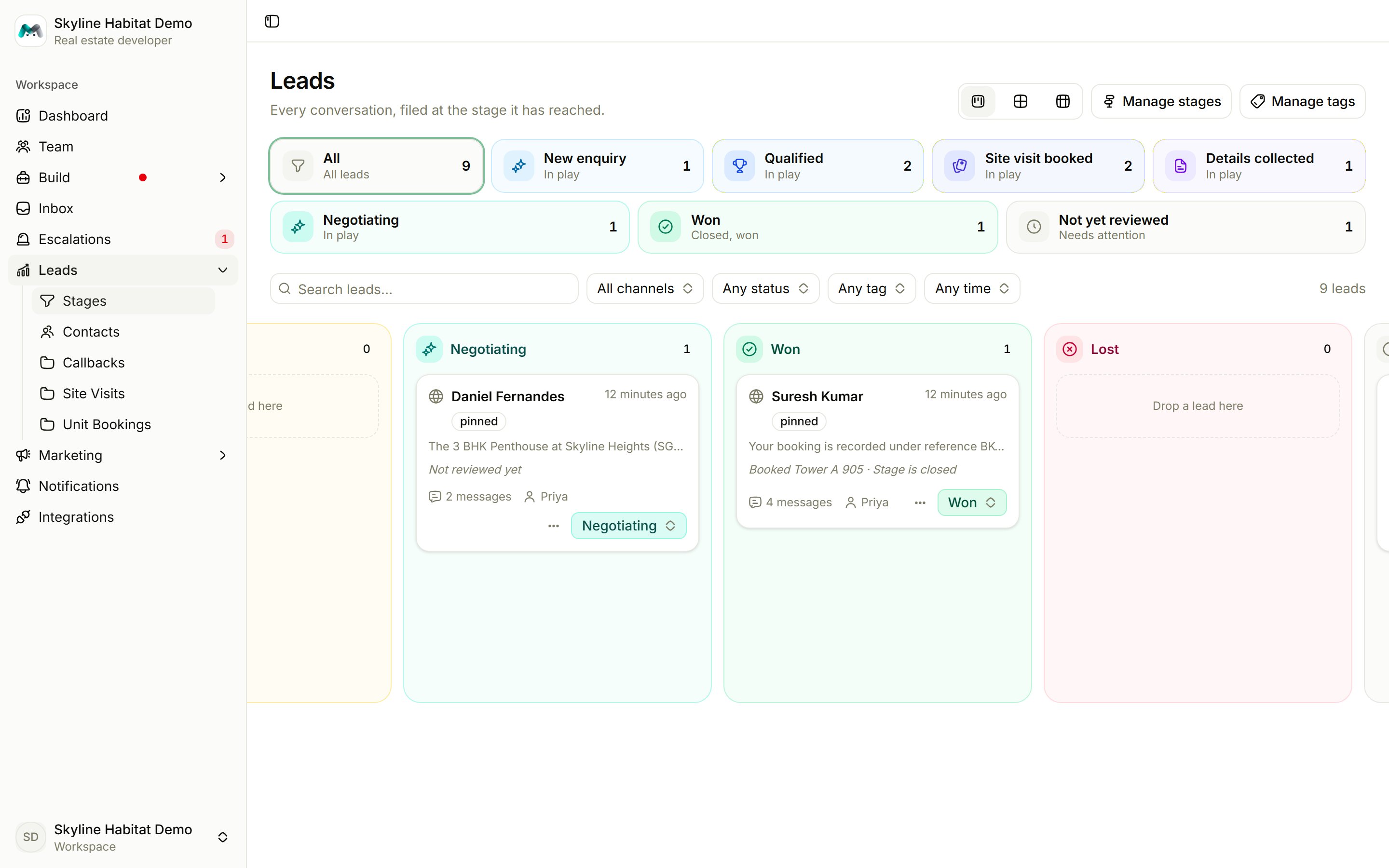
Move a lead
- Drag a card to another column in Kanban, or
- change the stage from the stage selector on the card.
Set up stages
Choose Manage stages.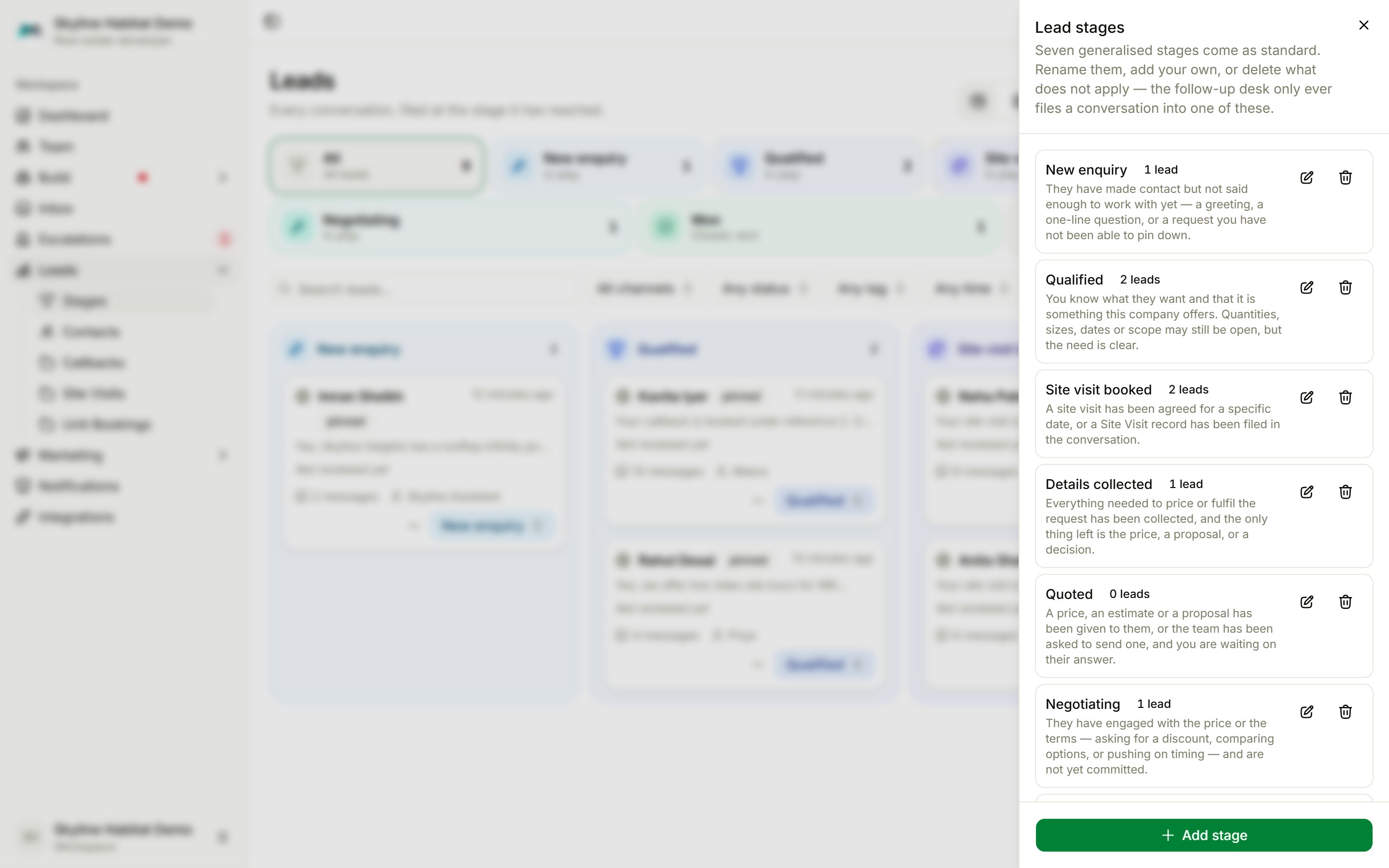
- Name, for example Site visit booked.
- What belongs here: the test the follow-up desk applies to a conversation. Describe the situation, not the label: “A site visit has been agreed for a specific date, or a Site Visit record has been filed in the conversation.”
- Outcome: Open (still in play), Won or Lost. Won and lost stop the follow-ups.
Tags
Choose Manage tags to create labels such as a type of enquiry, a priority or a source.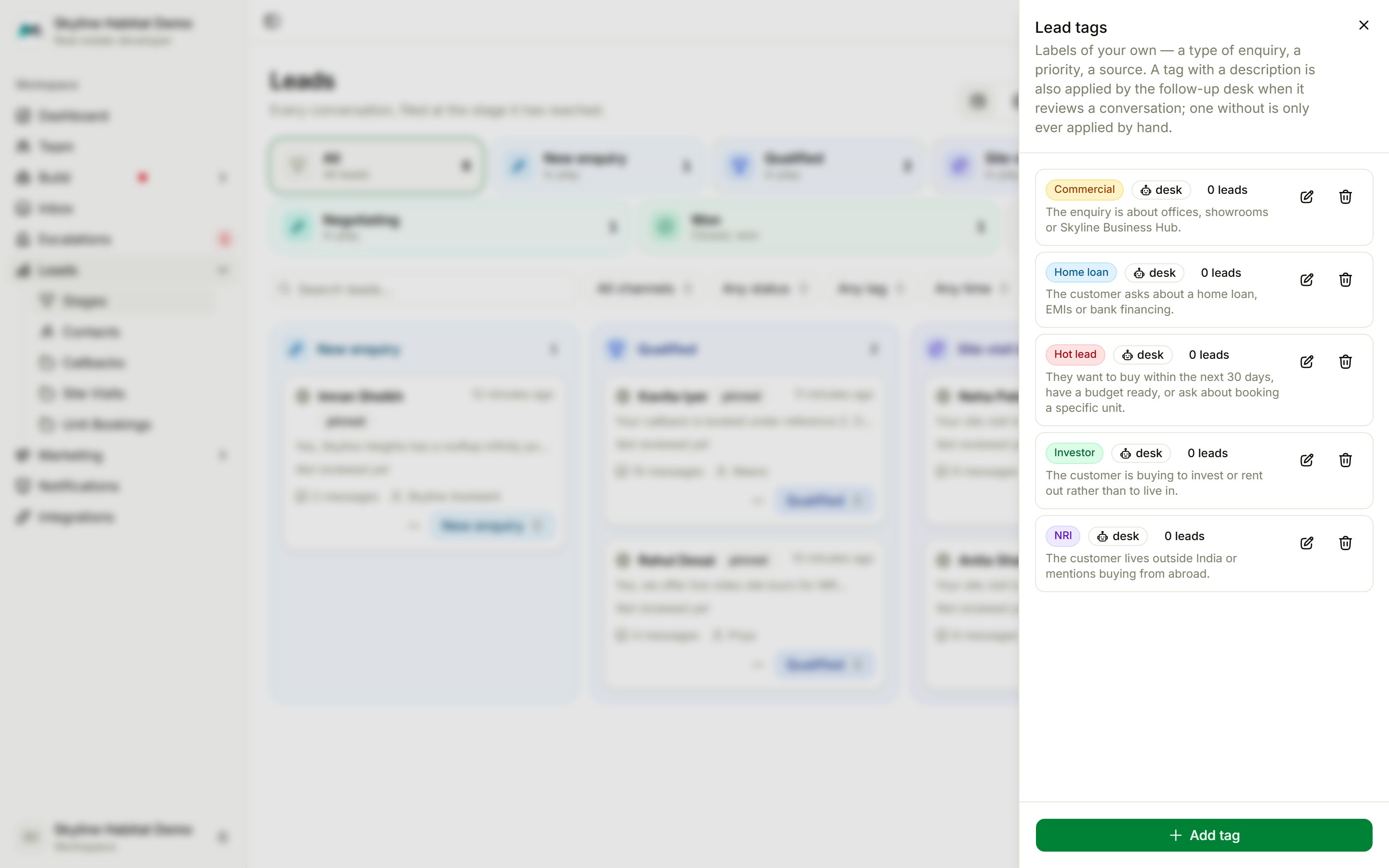
- A tag with a description is applied by the follow-up desk on its own, for example Hot lead: “They want to buy within the next 30 days, have a budget ready, or ask about booking a specific unit.”
- A tag without a description is only applied by hand.
If the page says No follow-up desk yet, choose Create the follow-up desk. Nothing is filed or followed up until the workspace has one.